
Anastasiia Malyhina
October 22, 2026
Anastasiia Malyhina
October 22, 2026
.png)
1-2
months for migration
2
channels moved
3
components migrated
A consumer mobile app wanted to reduce its messaging platform costs. But switching from Braze meant transferring more than emails and push notifications: the team needed to preserve dynamic email personalization, audience segments, and complex automated journeys.
Reteno’s migration team handled the messaging migration, adapting the underlying logic to the new platform while the client focused on SDK integration and event setup.
Migration highlights
The company operates a consumer mobile app supported by educational content and digital resources. It uses email and mobile push notifications to communicate with its audience.
Before switching to Reteno, the company managed these channels in Braze. Its messaging setup included dynamic emails, audience segments, and automated workflows with complex communication logic.
The team wanted a more cost-effective platform that could support its existing messaging requirements without making its own employees responsible for rebuilding the entire setup.
Cost was the main reason the company considered leaving Braze. The platform generally met its needs, but the company wanted a more affordable way to run its email and push communications.
The decision came with a practical concern: how much work would switching require?
The team had already experienced a difficult migration to Braze from another platform. That move had consumed substantial internal resources, making the prospect of another migration a concern.
Copying email designs and text was only one part of the work.
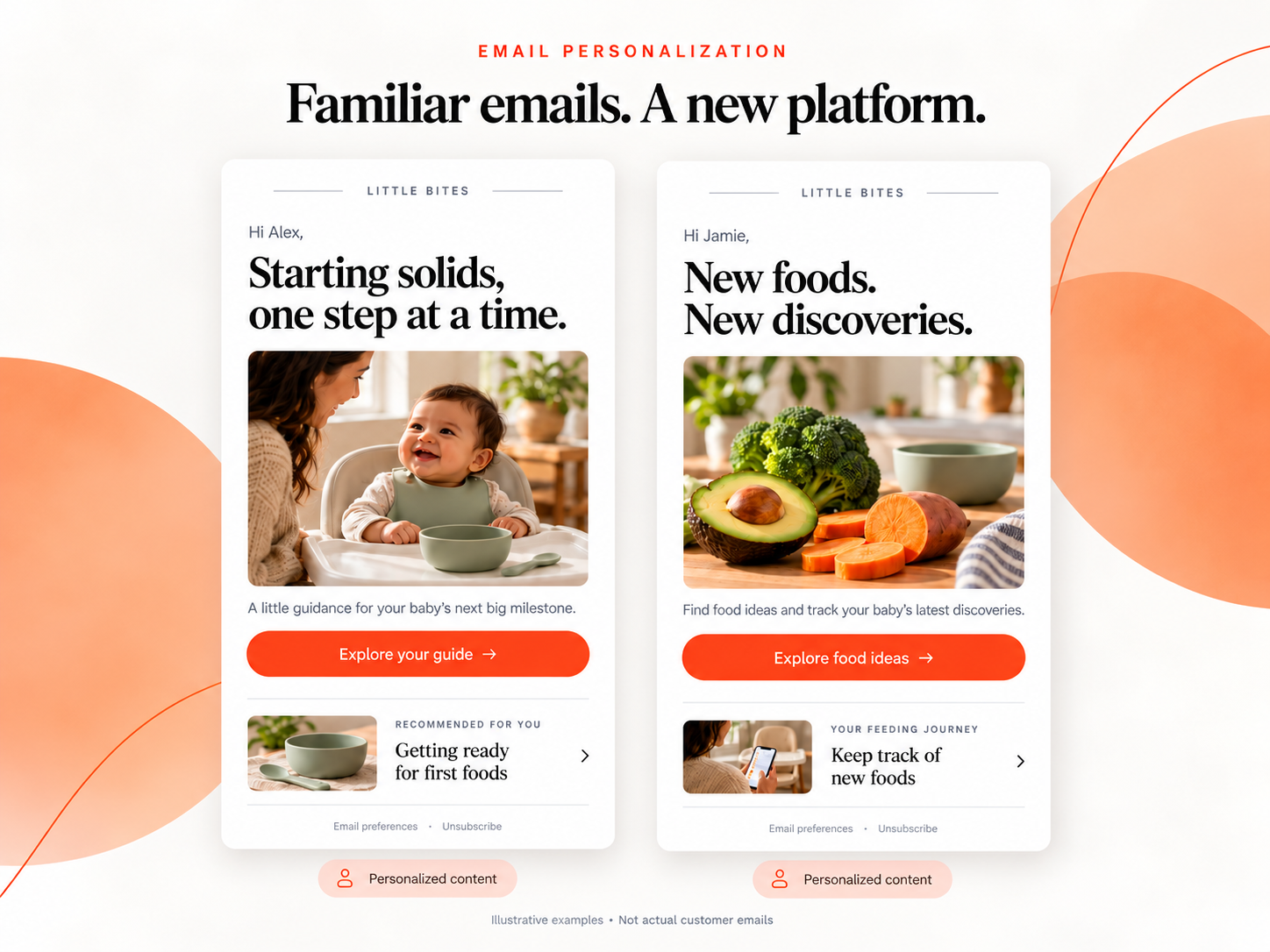
The company’s emails contained personalization rules that determined which content recipients would see. These rules needed to work in Reteno, even though the two platforms implement dynamic content differently.
A template could look identical after migration yet behave differently if its underlying conditions were not adapted correctly. Preserving the intended functionality required rebuilding the personalization logic for Reteno.
The company also needed to transfer automated workflows and audience segments.
Some workflows required additional work on their logic to ensure they would operate according to the original communication plan. Simply reproducing their visible structure would not have been enough.
The challenge was to complete this adaptation while keeping the client’s involvement focused on tasks that required access to its app and backend.
Reteno took responsibility for migrating the messaging setup. The client’s developers handled SDK integration, event configuration, and the necessary changes within their own systems.
This division of responsibilities kept the client from having to rebuild its emails, segments, and workflows internally.
Reteno’s migration team transferred the existing email designs and copy, preserving their appearance while adapting their dynamic functionality.
The team rebuilt the personalization logic using Velocity, the templating language used for this implementation in Reteno.
This involved transferring the rules that controlled how email content was generated, rather than copying the templates alone.
The result was a set of emails that retained the required dynamic functionality through an implementation adapted to Reteno.
Reteno recreated the company’s automated communication workflows and migrated its audience segments.
For the more complex workflows, the team also refined the logic so that the scenarios would operate according to their original purpose.
This adaptation accounted for a substantial share of the migration work. The goal was to preserve the intended communication behavior while making the workflows function correctly in the new platform.
The client remained responsible for work that required changes to its product or backend:
Reteno handled the messaging work:
The migration was delivered by Reteno’s migration and integration specialists, with support available as questions arose.

The migration was completed in approximately one to two months, depending on which project milestones are used to define the start and finish.
The company now sends emails and mobile push notifications through Reteno.
The dynamic emails retained their required personalization logic. Reteno adapted the implementation using Velocity while preserving the rules governing how their content was generated.
The company’s communication journeys were recreated in Reteno, with adjustments to help their logic operate according to the original intent.
The client’s involvement centered on integration tasks within its own systems. Reteno’s team handled the transfer and adaptation of the messaging setup.
According to feedback shared with Reteno’s team, the client found the transition easier than expected — particularly after its previous migration experience.
The work involved in switching messaging platforms can make teams hesitate, even when they have a clear reason to move.
Existing emails may contain years of personalization rules. Workflows may depend on complex conditions. Rebuilding that setup can compete with the team’s ongoing marketing and development priorities.
This migration shows how that work can be shared:
Considering a move from Braze? Book a Reteno demo to discuss your current setup, migration scope, and the support your team would need.
(1).png)
.png)
(1).png)
.png)
