
Alex Anikienko
Expert Writer
June 5, 2026
Alex Anikienko
Expert Writer
June 5, 2026
Spring brought one of the biggest Reteno updates in recent months. We launched a completely redesigned email editor, expanded analytics capabilities, introduced new personalization options, improved automation workflows, and added new integrations.
Alongside major product releases, we also delivered dozens of smaller improvements across messaging, widgets, APIs, contact management, and omnichannel communication.
Here's a look at the highlights from March through May.
The biggest update this spring is the redesigned email editor.
Beyond the updated interface, the editor introduces several new tools that help teams create, review, and optimize campaigns faster.
Multiple team members can now work on the same email simultaneously and leave comments directly within email elements.
Instead of managing feedback across different document versions, teams can review and approve campaigns in one place.
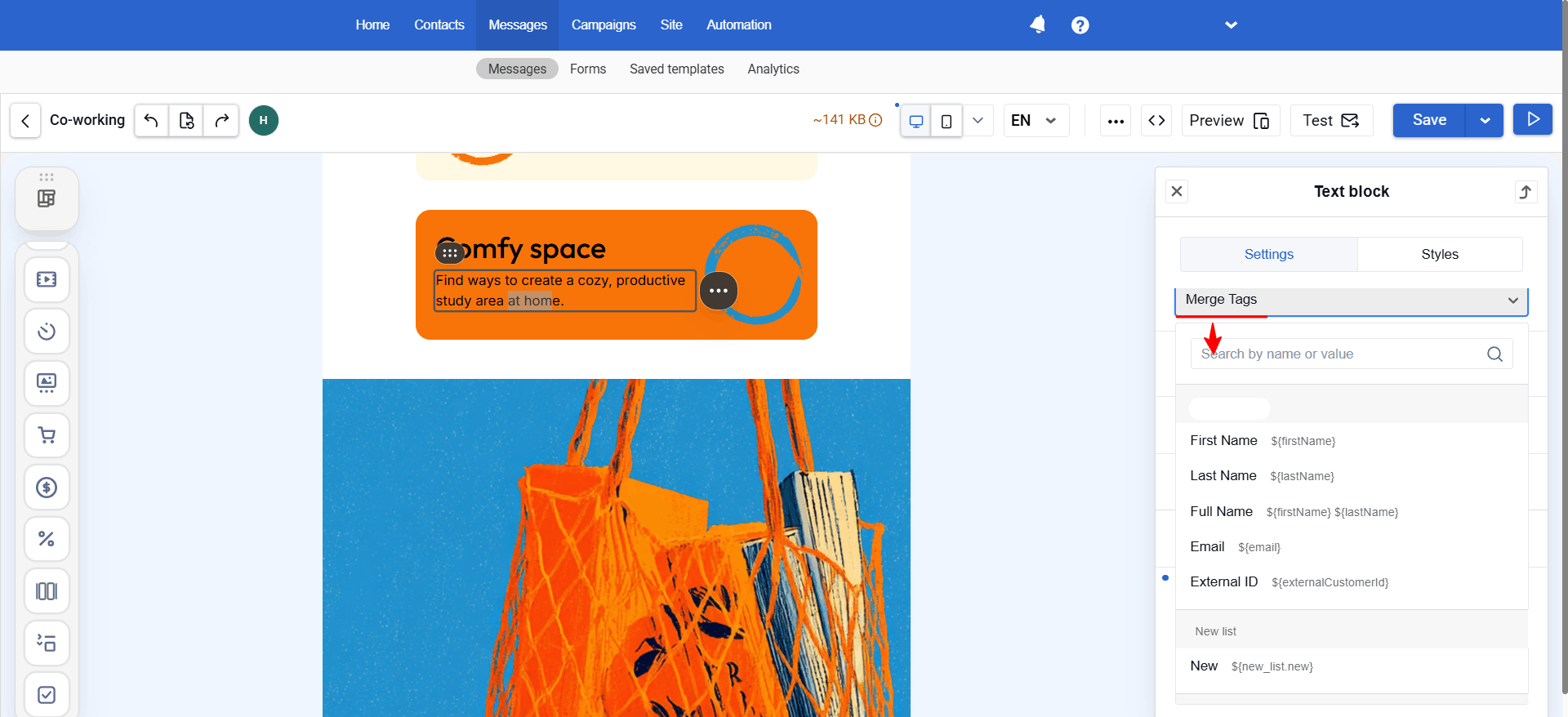
The editor now makes it easier to test different aspects of email rendering, including:
This helps identify issues before campaigns go live.
Teams can generate email copy, improve existing text, and create images directly inside Reteno.
The goal is simple: reduce context switching and help marketers move from idea to launch faster.
Spring also brought several updates focused on personalization.
Working with dynamic variables is now easier thanks to a simplified Velocity format.
Instead of long expressions, variables can now be inserted using a cleaner syntax such as:
${firstName}
Fallback values can also be added directly inside the variable.
The previous format remains supported, so existing templates continue to work without changes.
Website widgets can now use values stored in Local Storage and Cookies as personalization variables.
For example, a widget can greet a visitor by name or display content based on previously viewed product categories without requiring additional form fields.
This makes website experiences more relevant while reducing friction.
Widgets received several updates this spring, including new gamification options and greater flexibility for testing.
Ahead of the Easter season, Reteno introduced a new interactive widget where visitors break a virtual egg to reveal a reward.
Gamified experiences can increase engagement by adding an element of anticipation and encouraging visitors to complete actions such as subscribing, claiming a discount, or placing an order.
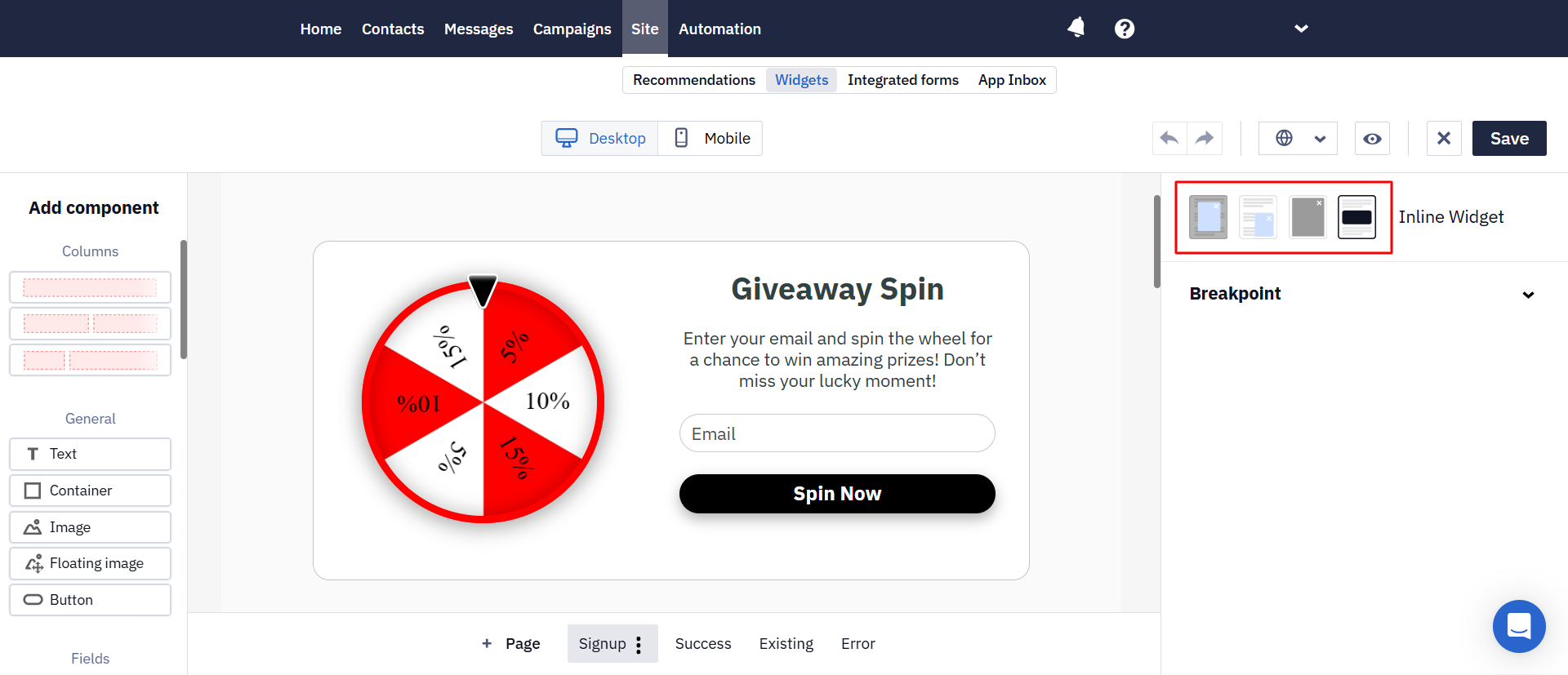
The Fortune Wheel widget received several improvements:
These updates make it easier to align gamified experiences with brand identity.
Widget creators can now switch between display formats directly inside the editor.
Design settings, content, and proportions remain intact, allowing teams to test different presentation formats without starting from scratch.
If a visitor leaves a multi-step form before finishing it, Reteno can now preserve valid data that has already been entered (with appropriate consent).
This helps capture valuable leads that might otherwise be lost before form completion.
A new full-screen display format is now available for forms and announcements.
The format covers the page until visitors either close the form or complete the desired action, making it useful for time-sensitive promotions and important messages.
Several analytics improvements were introduced to help teams understand performance faster.
The main dashboard now includes additional business-focused metrics:
These metrics provide a clearer picture of how campaigns contribute to business outcomes.
Accounts using multilingual messaging can now filter performance reports by message language.
This makes it easier to compare engagement and conversion results across different audiences.
Campaigns and automation workflows can now be sorted by key performance indicators directly from the dashboard.
Instead of manually reviewing long lists, teams can quickly identify their strongest-performing campaigns.
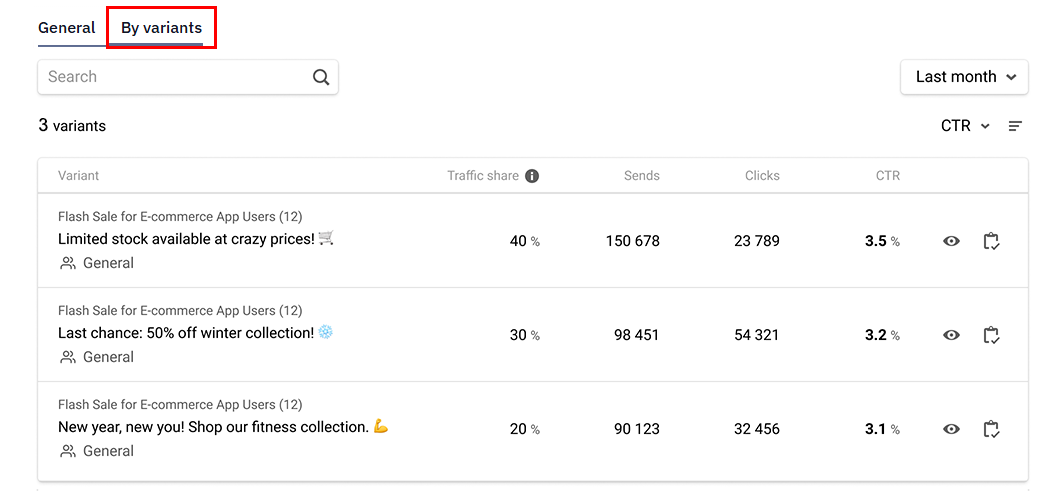
The "One of Many" block now includes reporting for each message variation, not just the overall block performance.
Marketers can compare variants, identify underperformers, and make optimization decisions more quickly.
Recommendation reports now show which specific purchases were generated after interactions with recommendation widgets on the website.
This creates a clearer connection between recommendations and revenue.
Automation scenarios became more flexible throughout the spring.
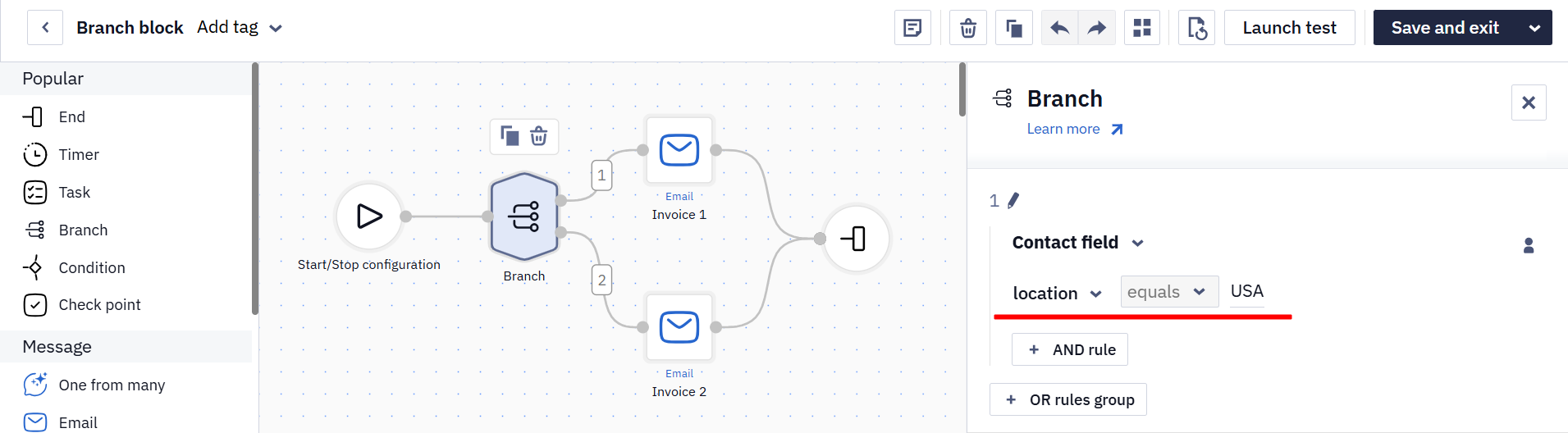
Branching and value-check blocks can now use standard contact fields such as:
For example, marketers can create country-specific flows and promotions without relying solely on custom fields.
Scenario start and stop conditions now support nested event properties.
Instead of using only top-level fields, workflows can reference values such as:
This provides more precise control over automation logic.
Information retrieved by the "Get Order" block is now stored within the scenario context and can be reused throughout the workflow.
The same data can power conditions, branching, webhooks, and message content without repeated requests.
Several updates improve data management and integrations.
Reteno now supports OAuth 2.0 authentication when connecting external data sources via HTTP requests.
This allows teams to connect third-party systems using modern authorization standards without exposing login credentials.
The Get Contacts Activity endpoint now includes operating system information, making segmentation and external reporting easier.
The Delete Events resource now supports timestamps rather than dates alone.
This allows teams to remove specific event ranges without affecting an entire day's data.
Several new parameters were introduced:
These additions help teams build more detailed reporting and attribution workflows.
Spring also introduced several updates for communication channels.
Reteno added support for:
The updated SMS Club integration also supports Viber carousel messages.
Telegram subscription status is now available through the same contact APIs used for other communication channels, making omnichannel customer profiles more complete.
Finally, Reteno received a visual refresh.
Colors, typography, and interface elements were updated across the platform while preserving the existing navigation and workflows.
The result is a cleaner experience without requiring users to relearn how the platform works.
From AI-powered email creation and collaborative editing to smarter automation, deeper analytics, and expanded omnichannel capabilities, Spring 2026 focused on helping teams work faster while gaining more visibility into customer engagement.
Whether you're building campaigns, optimizing journeys, or analyzing performance, these updates provide more flexibility and more actionable data throughout the customer lifecycle.
(1).png)
(1).png)
.png)

Vladyslav Pobyva
|
May 11, 2026
Explore the mobile app marketing trends, growth shifts, and performance insights shaping 2026 — and learn how leading apps build strategies

Alex Anikienko
|
October 24, 2022
Make your offers highly targeted and time-relevant by predicting customer actions

Are your pushes as compelling as they could be? Find out with our free preview tool. Instantly see how your notifications will display on iOS and Android, in both expanded and collapsed views.
This is your chance to fine-tune your messages to ensure they're not just seen but felt. Make every character and every push work harder for your engagement goals


