
George Johnson
Expert Writer
August 7, 2026
George Johnson
Expert Writer
August 7, 2026
.jpg)
A PM has an idea in the morning and a working prototype by lunch. A founder can test a product before there’s even much of a team. A developer can hand off a chunk of the coding to an agent and focus on the part that still takes judgment: figuring out whether what came back is actually any good. A little while ago, this would’ve sounded like a shortcut. Now it’s just how a lot of the work gets done.
In this episode of the Retention Podcast, we talk about what happens when AI stops being a side tool and starts messing with the actual shape of the job. Who gets to prototype now? What still needs a designer or developer? Which skills suddenly matter more, and which parts of the workflow are starting to look wildly inefficient?
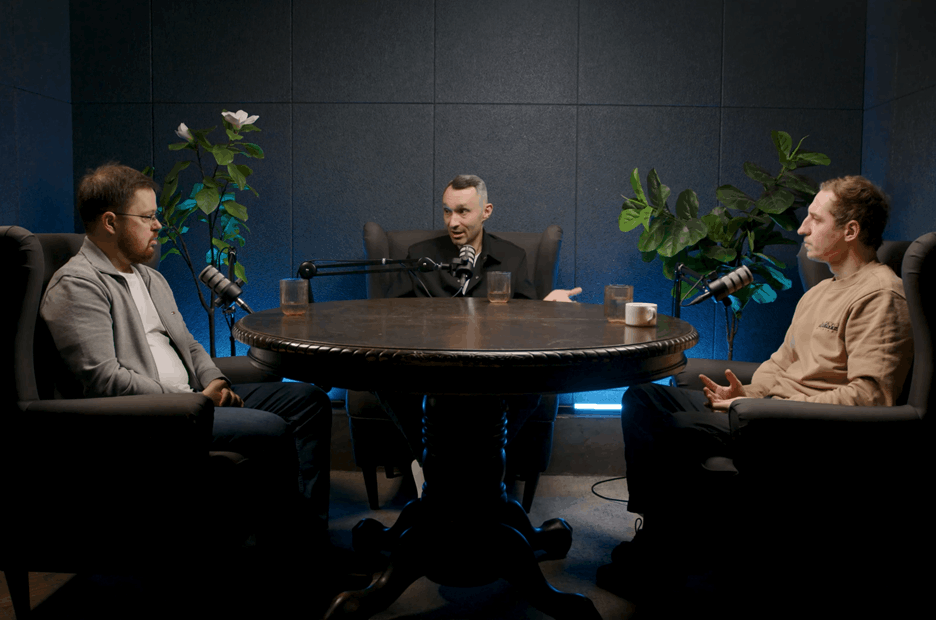
Joining us are Andrii Mandryka, PM Advisor & Mentor and Founder & Trainer at Hard Skills for PdM, and Rostyslav Salata, Head of Product (B2C) at Jooble, PM at KOLO, and Coach at Hard Skills for PdM.

Prototyping isn’t a new step in the product development lifecycle. Product managers have always needed a way to turn a problem or hypothesis into something the team can actually see and challenge. That could mean a lengthy discussion with the team to clarify the idea, a sketch on paper, or a mockup made in Figma, Sketch, Balsamiq, or even Photoshop.
The problem was the barrier to entry. A PM either needed help from a designer or had to spend time learning tools that could quickly become more complicated than the prototype itself. AI prototyping tools remove much of that friction. Instead of navigating layers, panels, and settings, a PM can describe the product, problem, or hypothesis in a chat, almost like giving a designer a rough brief, then iterate on the result.
That makes prototyping less of a specialist skill and more of a practical part of everyday product work. The value isn’t in generating more things for the sake of it, but in taking an existing step in the workflow and making it much faster.

AI is changing more than the tools teams use. It is changing what they bring into the product process. Instead of arriving at a review with a long document or dozens of static screens, teams can bring a working prototype that makes the idea much easier to understand, question, and test.
That matters because development is usually the most expensive part of the process. A prototype can expose gaps before engineers get involved, make early user testing easier, and give stakeholders something concrete to react to. Walking through a functioning flow is also much clearer than explaining the same logic across 47 Figma screens or trying to align ten people around a document.
The result is a gradual blurring of roles. Product managers can handle more of what once required design support, while designers can move further into prototyping and product logic. In some cases, teams can even launch a basic version and collect feedback before involving a full development team.

Prototyping no longer has to belong to product or design. If someone sees a recurring problem in their own work and can turn it into something useful, they can build the first version themselves. That could be an engineer, someone in support, sales, logistics, or almost any other role.
Imagine a warehouse worker who still checks incoming pallets on paper. Instead of waiting for a development team, they can build a simple tool that digitizes the process, test it on their own workflow, and show the result to the people responsible for the wider system. If the idea works, engineers can later turn it into something secure, scalable, and properly integrated.
This is where a prototype can stop being just a prototype. At the early stage, it can become a real working solution, expose bottlenecks, test usability, and even validate whether people are willing to pay for it. AI tools are still less suitable for large systems with strict engineering requirements, but they make it much cheaper to prove that an idea deserves to become one.

Some products now start almost entirely inside AI coding tools. The goal isn’t to build the final version there, but to test demand before committing a full team. One example is Fitly, a service that adapts a CV to a specific job opening. Its early version was built in Replit, used to test demand and run the first acquisition campaigns, and only after traction appeared did the team move to a more traditional development process.
The same logic works for smaller experiments inside established companies. A PM can build a quiz, calculator, lead-generation tool, or another lightweight service with minimal help from marketing or DevOps, then put traffic through it and see whether the idea works. A process that might once have required designers, developers, and a couple of weeks of coordination can sometimes be handled by one or two people.
That makes AI coding tools especially useful for internal startups and acquisition experiments. Companies can test more ideas without forming a dedicated team around each one, while engineering gets involved later, once there is evidence that the product or mechanism is worth scaling.

Founders are one of the clearest examples. AI tools let them test demand, build side projects, and respond to customer feedback without spending heavily on development first. One founder behind FlexiPay even used a prototype during a sales conversation: when a potential client suggested a feature, he mocked up the change during the meeting and could immediately show roughly how it might work.
The same applies to almost anyone with “product” in their title, from product managers and owners to product designers, analysts, and marketers. Sales and business development teams can benefit too. A repetitive task, such as checking competitor pricing across dozens of websites, can be turned into a simple automated tool instead of being done manually every week.
Designers are part of this group as well. AI tools still won’t reliably produce pixel-perfect production work, but they can help turn ideas into interactive flows much faster, especially when connected to an existing design system.
So the current must-have group is fairly broad: founders, product teams, sales and account teams, designers, business analysts, and product marketers. The common thread is simple: if the job involves shaping a product, testing an idea, or repeatedly solving the same operational problem, knowing how to prototype with AI is quickly becoming part of the basic toolkit.

For developers, AI is becoming less about prototyping and more about taking over parts of the coding process itself. Tools such as Claude Code and Codex can generate code, write tests, assist with refactoring, review changes, and follow an organization’s coding guidelines. Some experienced developers are already building workflows where they write very little code manually and spend more time directing agents and reviewing the output.
The productivity gains are becoming tangible. Routine work, such as unit tests, code review, and repetitive implementation, can move much faster, while AI can also help with system design or spotting issues a developer might miss. But that speed comes with a condition: someone still has to know whether the result is good. In production systems, blindly accepting generated code or tests can create expensive problems later. AI-generated code still needs to be checked for security weaknesses before it reaches production. Developers must be able to identify and address those issues, making vulnerability remediation an important part of reviewing AI-assisted code.
That makes experience and judgment more important, not less. Developers need to understand how the work is done manually before they can reliably evaluate what AI produces. The same principle applies beyond engineering: automate the work only once you understand the process well enough to recognize a bad result.

AI changes the learning process depending on what someone is actually trying to learn. If the goal is to understand cohort analysis, write code, define product metrics, or build an MVP, using AI too early can hide whether the person understands the underlying logic. Once the skill is there, repetitive or supporting parts of the work can be automated without losing that understanding.
Prototyping follows the same rule. Anyone can use AI to visualize a problem, but creating something useful still requires a basic understanding of the goal, user flow, use cases, and UX logic. A vague prompt usually produces a vague result, which is why it helps to define the structure in text first, refine it, and only then hand clear instructions to an AI coding tool.
The distinction is between using AI as a shortcut around learning and using it as a shortcut around repetitive work. Learn how the process works first; once you can judge the quality of the result, automate as much of it as makes sense.

AI can be a powerful learning tool, but only when the goal is actually to understand something. If someone just wants to finish an assignment, get a certificate, or move on as quickly as possible, AI makes it easier to skip the learning altogether. The difference is less about the technology and more about the learner’s motivation and willingness to question the answers it gives.
For people who do want to learn, AI can make the process much more flexible. A course can be turned into flashcards, quizzes, or a self-paced study plan, while tools like NotebookLM can help organize material around the learner’s own gaps. Formal courses still have an advantage, though: they remove the friction of figuring everything out alone and give people a clear path to follow.
That matters especially for beginners. A good workshop doesn’t just explain the tool; it gives people a safe place to make mistakes and leaves them with something they actually built. Once someone has created a working prototype themselves, the fear of starting again is much lower.

Group learning does more than teach a skill. It lets people compare approaches, see how others solve the same problem, and learn from people who may already be a few steps ahead. That combination of support, healthy competition, and shared progress can make it easier to stay motivated and actually finish the work.
The format matters, though. A group of four or five people can create enough trust for participants to ask basic questions, make mistakes, and learn from each other. Put 30 or 40 people in the same session, and that dynamic becomes much harder to maintain.
That doesn’t make asynchronous or individual learning less useful. Some people simply cannot commit to a live schedule and work better at their own pace. The better model is to offer both: live small-group learning for interaction and accountability, and self-paced formats for flexibility.

For non-technical users who simply want to visualize an idea or build a basic prototype, tools like Lovable and Replit keep the barrier to entry low. Lovable works well for lightweight visual prototypes, while Replit makes more sense when the project needs things like analytics, authentication, databases, or a more complete funnel. More technical tools, such as Cursor or Claude Code, become useful once the task requires greater control, but they can add unnecessary complexity for someone who only needs to communicate an idea.
The broader trend is toward consolidation. Instead of jumping between separate tools for research, prototyping, documentation, coding, and work management, platforms such as Claude are increasingly trying to become a single interface connected to tools like Jira, Notion, calendars, and other parts of the workflow. Google is moving in a similar direction, which can also matter in companies where security policies limit which AI platforms employees can use. Establishing strong protocols around AI security has become critical as organizations look to protect sensitive internal data from leaking through these connected workflows.
So choosing an AI tool shouldn’t start with which one is the most powerful. It should start with the task, the user’s technical comfort, and how much of the workflow actually needs to be handled in one place.

The idea is to move from using AI for isolated tasks to building a workspace that already understands the person, the company, and the way recurring work should be done. A product manager, for example, can turn the rules for writing user stories or acceptance criteria into a reusable skill, connect it to tools like Jira, and automate parts of the process instead of repeating the same steps every day.
That doesn’t mean everyone needs to build custom skills or plugins. The more important ability is understanding what each part of the ecosystem is for, whether that is a skill, plugin, connector, or MCP, and choosing the simplest option that solves the problem. In many cases, existing tools already cover the task; the real skill is orchestrating them well.
Even the interface can determine whether people use these capabilities at all. “Claude Code” sounds technical enough to discourage non-developers, while a more familiar chat-style interface makes essentially the same capabilities feel accessible. Removing that psychological barrier can be just as important as adding new functionality.
AI can already handle parts of many roles, from analyzing data to drafting copy or generating recommendations. But the output still needs someone who understands the context and decides what to do with it. The more a job depends on judgment, strategy, stakeholder management, and taking responsibility for decisions, the harder it is to automate completely.
The bigger risk is for work built mostly around repetitive execution. Entry-level roles often contain more of those tasks, while senior roles rely more heavily on critical thinking and soft skills. That doesn’t mean junior positions disappear, but the work inside them is likely to change significantly as AI takes over more of the mechanical parts.
The strongest professionals will probably be the ones who use AI without outsourcing their thinking to it. A great copywriter, analyst, or product manager may use AI constantly, but the value still comes from knowing what question to ask, whether the answer makes sense, and what should happen next.
The most interesting change is not that AI can write code, build prototypes, or summarize data. It is that the distance between an idea and a working version of it is collapsing. A product manager can visualize a flow without waiting for design, a founder can test demand before hiring a team, and a salesperson can turn a customer request into something concrete during the meeting. A lot of work that used to begin with coordination now begins with making.
That changes what becomes valuable inside a team. Execution gets cheaper, so judgment gets more expensive. Knowing how to prompt a tool is useful, but knowing what should be built, what is wrong with the result, and when not to automate something matters more. The same person can suddenly do more, but only if they understand the work well enough not to confuse speed with quality.
And that is probably where the real split will happen. Some people will use AI to skip steps they never understood in the first place. Others will use it to compress the parts they already know how to do and spend more time on decisions, experiments, and higher-value work. The tools may become easier and more unified, but the advantage will still belong to people who know what they are trying to achieve before they open the chat.
(1).png)
(1).png)
.png)

George Johnson
|
September 6, 2024
Join the conversation about Reface products, the structure of the ML team, methods for measuring Product-market fit, mistakes in conducting A/B tests, and much more.

Alex Anikienko
|
October 21, 2025
Turn push & in-app notifications into revenue engines with generative AI personalization

Are your pushes as compelling as they could be? Find out with our free preview tool. Instantly see how your notifications will display on iOS and Android, in both expanded and collapsed views.
This is your chance to fine-tune your messages to ensure they're not just seen but felt. Make every character and every push work harder for your engagement goals


