
Alex Anikienko
Expert Writer
March 5, 2026
Alex Anikienko
Expert Writer
March 5, 2026
.png)
Winter brought a solid set of improvements across Reteno’s core building blocks: workflows, email, and on-site widgets. The goal is simple: help teams move faster, personalize smarter, and get clearer performance signals with less manual work.
Below is a digest of what shipped in winter 2026, plus ideas for how to use each update right away.
Email creation got a major upgrade with a new built‑in Email Editor, designed to improve both performance and day-to-day usability.
What’s new:
Why it matters:
Note: If you still see the old editor, Reteno can enable the new one for your account via support.
Now, when you use One from Many to run message variants, Reteno helps you optimize with even less manual work.
Reteno can now automatically exclude lower-CTR messages inside One from Many, keeping stronger variants active more often.
How it detects underperformers:
Result: messages can get an Underperformed label and stop sending, so winning variants keep running.
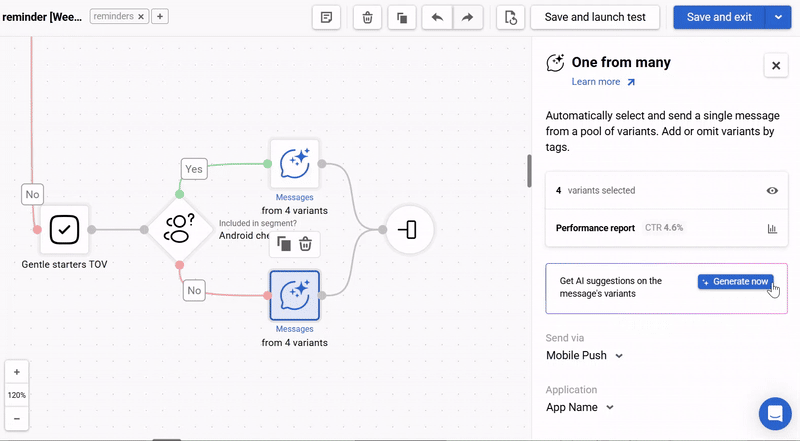
The One from Many block also gained a performance report (starting with average CTR) to help you quickly see whether to refresh variants or add new ones.
Why it matters:
In January, Reteno added a workflow context variable: $languageCode. It pulls a user’s language directly from the contact profile, so you don’t have to pass language in every event.
You can use $languageCode in blocks like:
Why it matters:
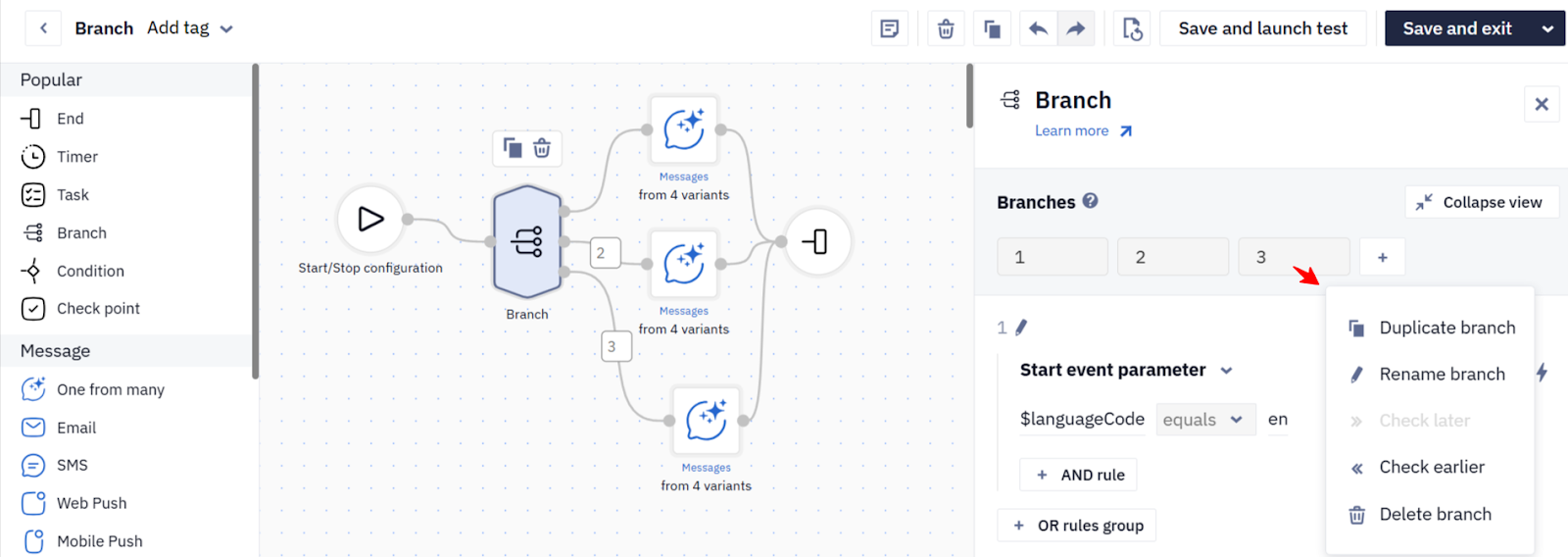
The Branch block now includes a horizontal control panel so you can reorder, duplicate, rename, and add branches more quickly.
Why it matters:
Our team delivered several meaningful widget improvements aimed at both conversion experiments and quality control.
Highlights:
Why it matters:
For teams exporting data externally, Reteno added a new field smsParts to contactActivities export for BigQuery and PostgreSQL.
Why it matters:
Reteno added the ability to add and update Country code during contact data import.
Why it matters:
If you want a quick, practical way to test what shipped this winter, here are three low-effort plays:
If you want a second set of eyes on your workflows, segmentation, experiment setup, or cross-channel orchestration, reach out to the Reteno team for consulting and a practical rollout plan.
(1).png)
(1).png)
.png)
.png)
Alex Danchenko
|
December 14, 2022
Find amazing examples of mobile marketing campaigns to improve or develop your own from scratch

Natalya Ustymenko
|
January 31, 2023
Learn all about event-triggered campaigns: when they are extremely useful and how to launch them

Are your pushes as compelling as they could be? Find out with our free preview tool. Instantly see how your notifications will display on iOS and Android, in both expanded and collapsed views.
This is your chance to fine-tune your messages to ensure they're not just seen but felt. Make every character and every push work harder for your engagement goals


