
Anastasiia Malyhina
September 24, 2026
Anastasiia Malyhina
September 24, 2026

21
Створено локалізованих версій листів
До 8
Мов додано до кожного шаблону
~3 хв
На підготовку й перевірку 1 листа
Компанія — це платформа на основі ШІ, яка допомагає людям досліджувати, писати й навчатися. Її інструменти допомагають користувачам створювати й переписувати контент, перевіряти факти та покращувати якість своєї роботи.
Глобальна платформа для письма й досліджень на основі ШІ з понад 3 мільйонами користувачів і сайтом, локалізованим 43 мовами. Електронні листи відіграють важливу роль в онбордингу користувачів, поясненні цінності продукту та заохоченні повертатися на платформу.
Розширюючи багатомовну комунікацію, маркетингова команда компанії потребувала швидшого способу створювати локалізовані версії листів і керувати ними, не збираючи кожне повідомлення вручну заново.
Локалізація електронних листів — це більше, ніж переклад кількох абзаців. Кожна мовна версія має містити правильну тему, прехедер, кнопки, заголовки, основний і юридичний текст, зберігаючи початкову структуру, форматування та посилання.
Для кожного листа команді потрібно було:
Через кількість потрібних мов керувати цим вручну було складно. Для одного шаблону потрібні були п’ять додаткових мовних версій, а для двох інших — по вісім.
Вимоги до локалізації також були докладними. В іспанських перекладах потрібно було використовувати неформальне «tú», у французьких — формальне «vous», у німецьких — ввічливе «Sie», а в японських — стиль Teineigo. Перекладачі також мали дотримуватися властивих кожній мові правил пунктуації та вживання великих літер.
Зазвичай повторення цього процесу для кількох шаблонів потребувало б значної координації між маркетологами, перекладачами й технічними фахівцями. Також зростала б імовірність неузгодженої термінології, неробочих посилань, пропущених текстових блоків і помилок форматування.
Маркетингова команда використала Reteno Agent, щоб перетворити вимоги до локалізації на чітке, повторюване завдання.
Для першого листа команда попросила агента зберегти англійську основною мовою та додати німецьку, італійську, бразильську португальську, французьку й латиноамериканську іспанську версії. Інструкція охоплювала тему, прехедер і весь текст листа та вимагала зберегти всі початкові посилання без змін.
Для наступних двох шаблонів перелік розширили до восьми мов:
Команда надала докладні вказівки щодо перекладу: тон комунікації, форми звертання, правила пунктуації, вживання великих літер і одиниць вимірювання. Після цього Reteno Agent створив мовні версії безпосередньо в наявних шаблонах листів.
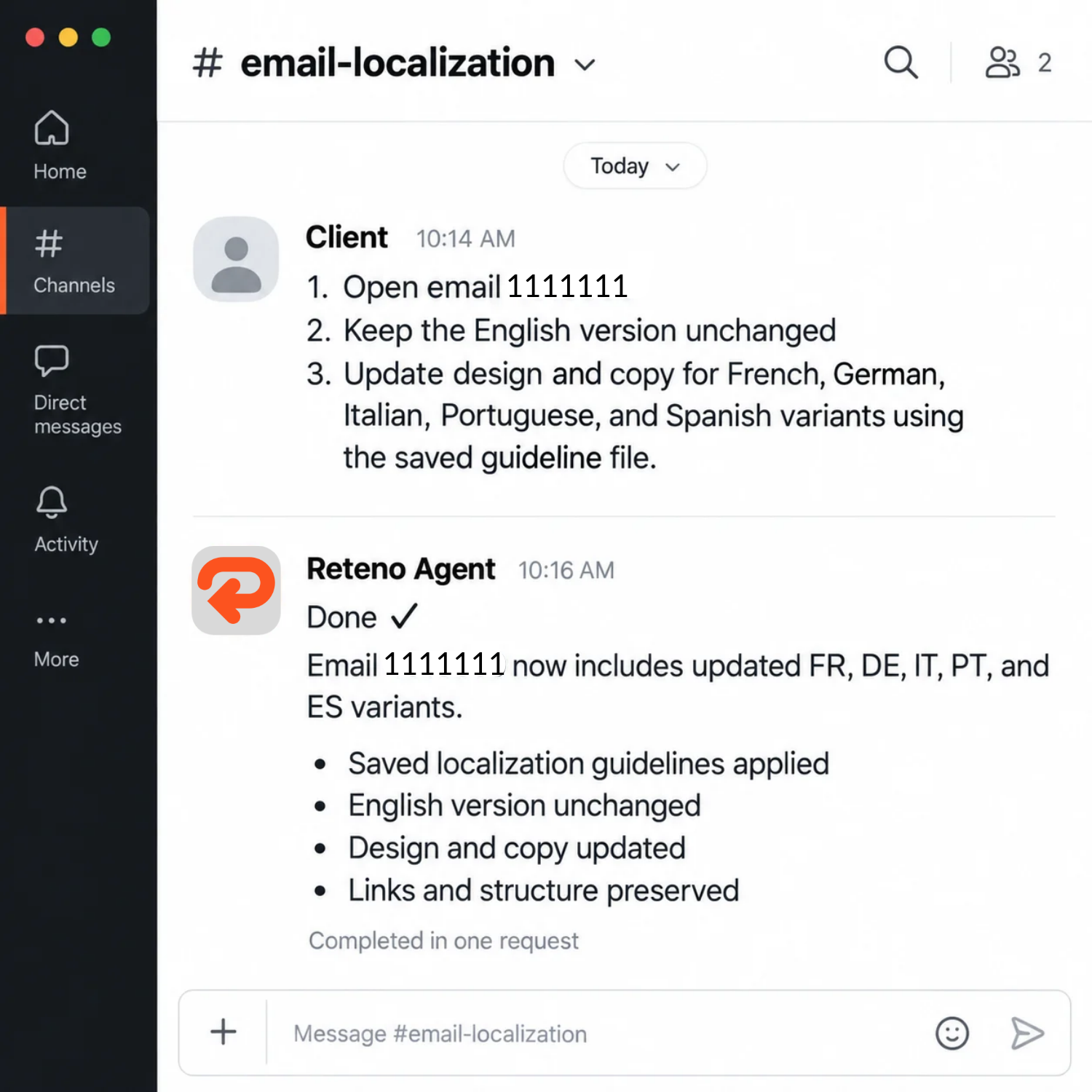
Процес охоплював чотири основні етапи:
Reteno також підтримує імпорт і експорт перекладів через Google Sheets. Команди можуть авторизувати Google Drive, вибрати наявну таблицю або створити нову та працювати з різними аркушами в одному файлі. Перш ніж застосувати імпорт, Reteno перевіряє мовні стовпці, виявляє відмінності й показує попередній перегляд запропонованих змін.
Це дає маркетологам, перекладачам і редакторам спільний робочий простір, а остаточні мовні версії залишаються пов’язаними з листом у Reteno.
Компанія локалізувала три шаблони листів, створивши загалом 21 нову мовну версію.
Перший шаблон отримав п’ять локалізованих версій за 6 хвилин і 51 секунду. Інший шаблон переклали вісьмома мовами, а локалізацію третього вісьмома мовами завершили лише за 3 хвилини й 8 секунд.
Фінальна перевірка підтвердила, що:
Команда могла за лічені хвилини перетворити один англійський лист на перевірений багатомовний шаблон без ручного копіювання контенту між окремими повідомленнями.
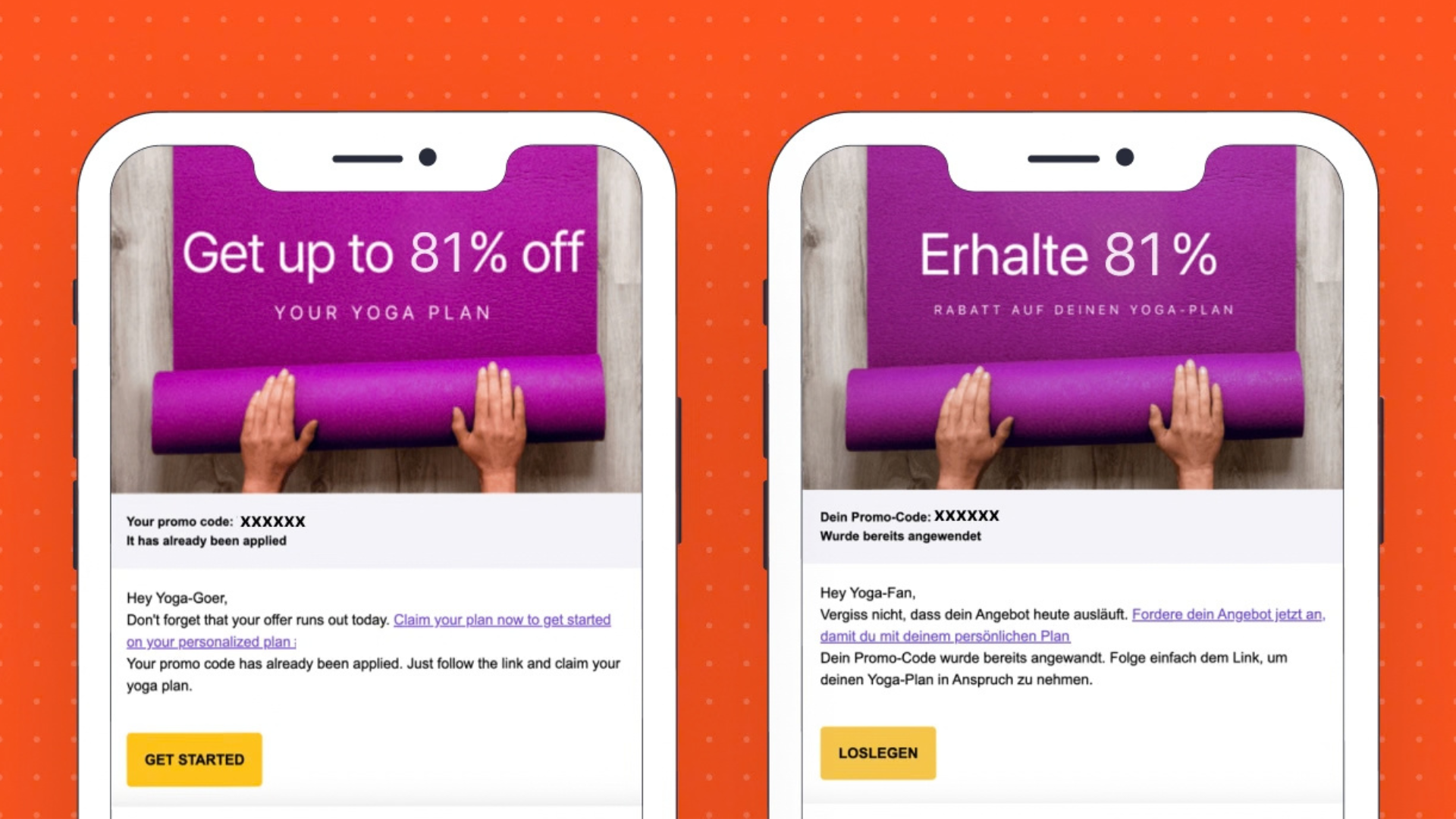
Окрім прискорення роботи, цей процес посилив контроль якості. Інструкції з перекладу застосовувалися послідовно, технічні елементи залишалися захищеними, а кожне оновлення перед завершенням перевіряли за новим експортом.
Для глобальних застосунків і цифрових продуктів локалізація може швидко стати перешкодою в роботі. Кожна нова кампанія додає текст для перекладу, версії для перевірки та можливості для помилок.
Reteno об’єднує створення перекладів, керування мовами, спільну роботу й перевірку в одному процесі.
✅ Швидше запускайте багатомовні розсилки. Створюйте кілька мовних версій без ручного збирання кожного листа заново.
✅ Захищайте початковий шаблон. Зберігайте узгоджені посилання, змінні, стилі та макет у всіх версіях.
✅ Дотримуйтеся мовних правил кожного ринку. Застосовуйте термінологію, тон, пунктуацію та форми звертання, визначені у ваших вимогах до локалізації.
✅ Спрощуйте перевірку. Експортуйте переклади в Google Sheets, щоб перекладачі й місцеві команди могли працювати у звичному середовищі для співпраці.
✅ Перевіряйте зміни перед публікацією. Перевіряйте імпортовані файли та переглядайте відмінності, перш ніж застосовувати оновлення.
✅ Масштабуйте локалізацію без збільшення обсягу повторюваної роботи. Використовуйте той самий процес для більшої кількості кампаній, шаблонів, мов і ринків.
Багатомовна комунікація не має змушувати маркетологів обирати між швидкістю та якістю. З Reteno команди можуть за лічені хвилини підготувати локалізовані листи, перевірити кожну версію й запропонувати користувачам доречнішу комунікацію бажаною мовою.
Готові прискорити підготовку багатомовних розсилок? Замовте демо Reteno й дізнайтеся, як локалізація за допомогою ШІ впишеться у ваш процес роботи з повідомленнями.
(1).png)
.png)
(1).png)
.png)

Reteno
|
November 18, 2021
Дізнайтеся, як індивідуальне рішення Reteno на основі ШІ допомогло RetouchMe збільшити кількість VIP-клієнтів на 35%, а дохід — на 17%.

Alex Anikienko
|
November 2, 2024
Дізнайтеся, яке інноваційне рішення для A/B-тестування допомогло застосунку для голодування підвищити конверсію в підписку на 29%.
